
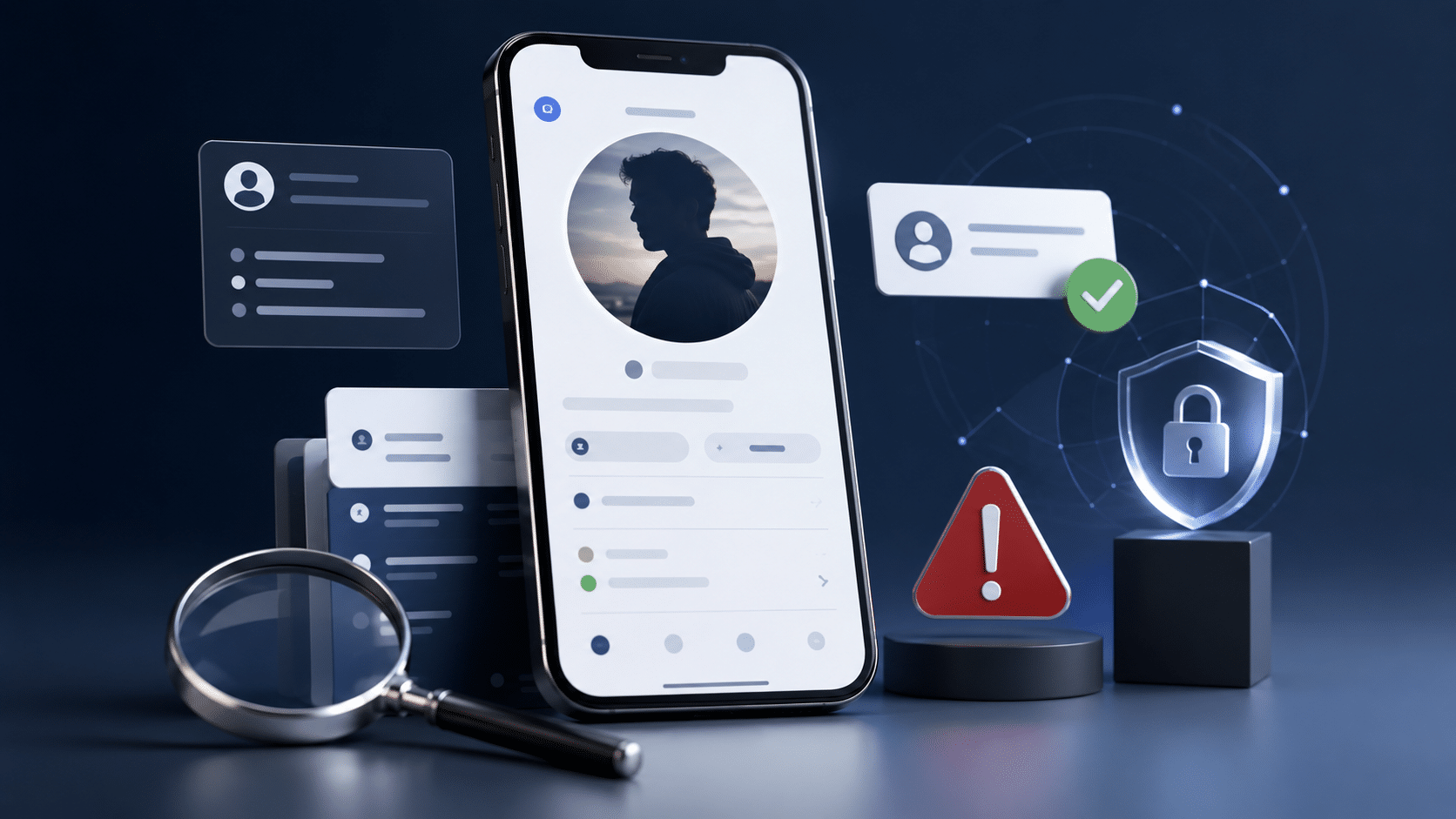
Online profiles can make it easy to learn about someone before you interact with them. But a profile that looks convincing is not necessarily a complete or accurate picture of the person behind it
Photos can be reused, information can be exaggerated or inconsistent, accounts can be newly created, and increasingly sophisticated AI tools can create realistic images, voices and online personas.
So, how can you spot a fake online profile?
The safest approach is not to look for one “magic” sign that proves a profile is fake. Instead, look for patterns across multiple signals, check important information where reasonably possible, and protect your own personal information while you decide whether to continue interacting.
Importantly, suspicious, misleading, impersonating and fraudulent are not identical terms. A profile may contain inaccurate or outdated information without being fraudulent, while an account deliberately pretending to be another person can involve impersonation. Fraud generally involves deception intended to obtain something of value or cause harm.
Why Can an Online Profile Be Misleading?
There are several reasons a profile may not accurately represent the person behind it.
Some profiles may involve deliberate impersonation or fabricated information. Others may use photographs belonging to someone else. Some may be automated accounts, while others may simply contain outdated, exaggerated or incomplete information.
AI has added another layer to the problem. Images and other media can now be generated or manipulated to create highly realistic representations of people who do not exist in the form shown.
That means visual appearance alone is becoming a less reliable way to judge whether an online identity is genuine.
The important distinction is this: something that looks unusual is not automatically fake.
A single warning sign should usually be treated as a reason to check further, not as proof of deception.
10 Red Flags of a Fake Online Profile
No individual warning sign can establish that an account is fake. The concern becomes stronger when several unrelated signals point in the same direction.
1. The Information Doesn’t Stay Consistent
Pay attention when basic information changes without a reasonable explanation.
- Different ages, locations or occupations appear in different places.
- The timeline described in a profile doesn’t make sense.
- Important details change during conversations.
- The person’s answers contradict information they previously provided.
- Public information does not reasonably match what the profile claims.
One inconsistency does not prove that a profile is fake. People make mistakes, information can become outdated, and different platforms may contain incomplete information.
Several unexplained inconsistencies, however, are a good reason to slow down and verify important details.
2. The Photos Raise Questions
Photos deserve attention, but they should not be treated as proof of identity.
Potential warning signs include:
- Photos that appear elsewhere under different names.
- A collection of images that looks unusually disconnected.
- Major differences between photographs that are difficult to explain.
- Images that appear heavily manipulated or artificially generated.
- Photos that appear to come from stock, promotional or unrelated sources.
A reverse-image search can sometimes help identify whether a photograph has appeared elsewhere online.
However, finding a matching image does not automatically establish who the person actually is. It simply gives you another piece of information to consider.
3. The Account Has Very Little History
A recently created or nearly empty account deserves a little more scrutiny.
Look at the account’s history where the platform makes it available:
- Does the activity appear natural?
- Are there genuine-looking interactions?
- Is the information consistent over time?
- Does the account appear to have been created only recently?
- Does the activity make sense for the identity being presented?
A new account is not automatically suspicious. People create new accounts for perfectly legitimate reasons.
The important question is whether the overall profile makes sense.
4. The Communication Feels Scripted or Unusually Urgent
Pay attention to communication patterns, particularly when someone is trying to establish trust very quickly.
Potential warning signs include:
- Repetitive or generic responses that don’t address your questions.
- Avoiding straightforward questions about information already presented publicly.
- Trying to create trust unusually quickly.
- Pressure to make an immediate decision.
- Attempts to move communication away from a platform without a clear reason.
- Pressure to share personal information.
- Communication that repeatedly follows a predictable script.
These signals are not conclusive by themselves.
The concern becomes stronger when unusual communication appears alongside inconsistent information, suspicious images or requests for money.
5. You Are Asked for Money
A request for money from someone you have only recently encountered online is a strong reason to stop and reassess the situation.
Be particularly cautious if the person creates urgency around:
- An emergency.
- A personal crisis.
- Travel or accommodation.
- Medical or financial problems.
- A promised benefit or opportunity.
- A request that must supposedly be handled immediately.
You should not allow emotional pressure to replace normal caution.
6. You Are Asked for Sensitive Information
A convincing profile does not justify sharing sensitive information.
Be especially careful if someone you have only recently encountered online asks for:
- Banking information.
- Passwords or login credentials.
- One-time passwords.
- Copies of sensitive identity documents.
- Private photographs or videos.
- Exact location information.
- Information that could be used to answer security questions.
You should never feel pressured to provide sensitive information simply because someone has built a convincing online profile.
7. Important Claims Cannot Be Checked
Another warning sign is when basic claims consistently cannot be checked through reasonable, non-invasive means.
For example, you may notice that:
- Important information changes whenever you ask about it.
- Publicly available information conflicts with the profile.
- The person repeatedly avoids reasonable questions.
- Supporting information is presented but cannot be independently understood or confirmed.
This does not mean that every person’s private life should be investigated.
The goal is simply to determine whether the important information you are relying on is reasonably coherent.
8. The Profile Looks Like a Collection of Disconnected Pieces
A profile can look polished while still lacking a coherent history.
Consider whether:
- The photographs fit together naturally.
- The biography matches the person’s stated background.
- Public activity is consistent with the profile.
- Communication matches the information presented.
- The account’s history supports the identity being presented.
A single convincing photograph is much less informative than a broader pattern of consistent information.
9. The Account Uses a Verification Badge as Its Main Proof
Some platforms provide identity, account or authenticity indicators.
These can be useful, but a badge should not automatically be interpreted as a complete guarantee of identity, honesty or safety.
Understand what a particular verification feature actually verifies before relying on it.
Verification may establish one particular fact without confirming everything a person says or does.
10. You Feel Pressured to Ignore Your Concerns
Sometimes the strongest warning sign is not a technical detail but the way the interaction makes you respond.
Be cautious when someone pressures you to:
- Ignore inconsistencies.
- Stop asking questions.
- Share information before you are comfortable.
- Send money quickly.
- Move communication elsewhere immediately.
- Trust them without reasonable evidence.
- Continue despite concerns.
You do not need to prove that someone is definitely fake before deciding not to continue an interaction.
If several things do not add up, slow down.
How to Verify an Online Profile Safely
There is no universal test that can establish whether every online profile is genuine.
A better approach is to compare several independent signals while avoiding unnecessary intrusion into someone’s privacy.
Step 1: Check the Basic Information
Start with information that is already publicly presented.
Compare:
- Name or username.
- Location.
- Occupation or background.
- Timeline.
- Photos.
- Public activity.
- Statements made during communication.
You are looking for a coherent picture rather than trying to find one perfect piece of evidence.
Step 2: Check for Internal Consistency
Look at whether the profile’s information remains consistent over time.
If the person gives different explanations for basic facts, don’t immediately assume deception. Instead, ask whether there is a reasonable explanation.
Repeated unexplained contradictions deserve more caution.
Step 3: Look for Reused Images
If you have concerns about a photograph, a reverse-image search can sometimes reveal whether the same image has appeared elsewhere.
This can be particularly useful when the same photograph appears:
- Under multiple names.
- On unrelated websites.
- On stock-photo or promotional pages.
- On multiple profiles belonging to supposedly different people.
But remember: a reverse-image match does not prove that a person is fake.
An image may legitimately have been reposted, licensed, shared or used elsewhere.
Image matching is one verification signal among several.
Step 4: Look Beyond the Profile Picture
A profile picture is only one part of an online identity.
Consider the broader account:
- How long has it existed?
- Does the activity look natural?
- Do interactions make sense?
- Are the details consistent?
- Does the communication match the information presented?
A convincing photograph can be copied or generated. A consistent history can provide additional context.
Step 5: Use Platform Verification Features
If the platform provides a verification feature, understand what it actually checks.
Depending on the platform, a verification process may relate to account ownership, identity documentation or another specific signal.
Do not assume that one verification indicator confirms every claim made by the account.
Verification is a signal, not a substitute for judgment.
Step 6: Consider a Live Interaction Where Appropriate
Depending on the situation, a live video conversation or another reasonable form of real-time interaction can provide additional context.
However, even a live interaction should not be treated as absolute proof.
Technology can be manipulated, identities can be misrepresented, and someone can still provide false information while appearing to be a real person.
The goal is to increase confidence through multiple consistent signals, not to find one test that eliminates all uncertainty.
Step 7: Stop When the Risk Becomes Uncomfortable
Verification does not have to continue indefinitely.
If the information remains inconsistent, pressure increases, or someone requests sensitive information, you can simply stop communicating.
You do not need to investigate someone’s entire identity or establish beyond doubt that an account is fraudulent before protecting yourself.
AI-Generated Profiles Are Making Verification More Difficult
AI has changed the way people should think about online profile authenticity.
Images can now be generated or altered to look highly realistic. AI can also assist with written conversations, voices and other forms of media.
This creates an important problem:
A realistic-looking profile picture is no longer enough to establish that the person shown actually exists in the form represented.
India has strengthened its regulatory framework around synthetically generated information, including misleading and impersonating AI-generated content. For current official information, refer to the Press Information Bureau’s guidance on AI-generated deepfakes.
Platforms are also responding to synthetic and manipulated media with additional signals and labels in some circumstances.
This does not mean every AI-assisted image or profile is fraudulent.
It means users should increasingly rely on multiple forms of verification rather than trying to identify AI solely from visual imperfections.
There is also no simple visual test that should be treated as definitive proof that an image or profile was generated by AI.
What Verification Can and Cannot Prove
Verification is useful when you understand its limits.
A particular verification process may establish one fact, such as:
- Control of an account.
- Confirmation of an identity document.
- A match between certain pieces of information.
- Another specific attribute checked by the platform or service.
It does not necessarily prove everything about a person.
For example:
A verified account does not automatically mean every statement on the profile is true.
Similarly:
A real photograph does not automatically mean the person using it is trustworthy.
And:
An AI-generated image does not by itself tell you why the image was created or who is behind the account.
Good verification therefore focuses on several relevant signals rather than a single badge, photograph or test.
For information about Hidden Entry’s stated services and approach, see the Hidden Entry services overview and About Hidden Entry.
Protect Your Own Information
Checking someone else’s profile is only half of online safety.
You should also consider how much information you are revealing about yourself.
Avoid sharing unnecessary:
- Passwords.
- Login credentials.
- One-time passwords.
- Banking details.
- Sensitive identity documents.
- Exact location information.
- Private photographs or videos.
- Information that could be used to answer security questions.
Why Small Details Can Become a Bigger Risk
Think about your public information as a collection rather than individual pieces.
Your name, workplace, city, birthday, photographs and daily routine may each seem harmless on their own.
Together, however, they can create a much more detailed picture of you.
Multiple pieces of information can potentially make it easier for someone to understand your routines, identify other accounts associated with you, guess answers to security questions, or construct a more convincing impersonation.
That is why privacy is not simply about hiding one particularly sensitive detail.
It is also about considering what seemingly harmless information becomes possible when several details are combined.
Review your privacy settings periodically and consider what information strangers can discover from your public profiles.
The Government of India’s online safety guidance also recommends using appropriate privacy settings, being selective about unknown contacts and being cautious about sharing sensitive information.
A Quick Profile-Safety Checklist
Before placing significant trust in an online profile, ask:
- Does the information remain consistent?
- Do the photographs appear coherent and credible?
- Does the account have a believable history?
- Does the person’s communication match the information presented?
- Am I being pressured to make a quick decision?
- Am I being asked for money or sensitive information?
- Can important claims be reasonably checked?
- Are platform verification features available?
- Do several independent signals support the same conclusion?
- Am I comfortable proceeding?
If several things do not add up, slow down.
You do not need to prove that someone is definitely fake before deciding not to continue an interaction.
What to Do If a Profile Seems Fake or Misleading
1. Stop Sharing Additional Information
Do not provide more personal or sensitive information while you investigate.
2. Do Not Send Money Because of Pressure
Urgency, emotional manipulation or promises of a future benefit should never be used as a reason to bypass basic caution.
3. Preserve Relevant Evidence
If you believe you may need to report the account, keep relevant screenshots, usernames, profile URLs and messages where appropriate.
Avoid altering or deleting relevant material if you may need it for a report.
4. Use the Platform’s Reporting Tools
Most major platforms provide mechanisms for reporting impersonation, fraud, harassment or other policy violations.
Choose the reporting category that most accurately reflects the problem.
5. Block the Account When Appropriate
You do not need to continue an interaction simply because you have already started one.
If communication becomes unwanted, threatening or manipulative, blocking the account may be appropriate.
6. Seek Official Help if Fraud, Impersonation or Harassment Is Involved
If you believe you have encountered cybercrime, impersonation or another serious online incident, use the National Cyber Crime Reporting Portal for official reporting information.
The Delhi Police Cyber Crime Cell’s social-media safety guidance also provides practical advice about fake profiles, privacy settings and preserving evidence.
Suspicious, Misleading, Impersonating or Fraudulent?
These terms are related, but they should not be used interchangeably.
Suspicious means there are signals that reasonably justify additional caution or checking. It does not establish that deception has occurred.
Misleading means information may create an inaccurate or incomplete impression. This could involve exaggeration, outdated information or other inaccuracies without necessarily amounting to fraud.
Impersonating generally involves presenting oneself as another identifiable person or entity.
Fraudulent describes deceptive conduct involving fraud. The precise legal meaning can depend on the circumstances and applicable law.
This distinction matters because responsible online safety advice should not label every unusual or incomplete profile as criminal or fraudulent.
Frequently Asked Questions
How can you tell if an online profile is fake?
Look for patterns rather than one definitive sign. Compare the profile’s information, photos, account history and communication. Pay particular attention to unexplained inconsistencies, reused images, unusual urgency and requests for money or sensitive information.
What are the biggest red flags of a fake profile?
Common warning signs include inconsistent information, suspicious or reused photos, little account history, scripted communication, pressure to move quickly, requests for money or sensitive information, and important claims that cannot reasonably be checked.
No single red flag proves that a profile is fake.
Can a verified account still be misleading?
Yes. Verification generally confirms only what the particular verification process is designed to check. A verified account does not automatically mean every statement, photograph or claim associated with it is accurate or trustworthy.
Can reverse-image search prove someone is fake?
No. A reverse-image search can show that a photograph appears elsewhere online, sometimes under another name. But an image match does not establish who owns the photograph or who is operating the account.
It should be treated as one piece of evidence rather than definitive proof.
How can I verify an online profile safely?
Start with non-invasive checks: compare publicly presented information, look for consistency, review available account history, check whether images appear elsewhere, and understand any platform verification indicators.
Avoid invasive investigation and never compromise your own privacy to verify someone else’s identity.
What should I do if I think a profile is fake?
Stop sharing additional personal information and do not send money because of pressure. Preserve relevant evidence, use the platform’s reporting tools and block the account when appropriate.
If you believe fraud, impersonation or another cybercrime has occurred in India, consult the National Cyber Crime Reporting Portal for official reporting information.
Should I send personal information to someone I have only met online?
Be very cautious. You should not provide passwords, one-time passwords, banking details, sensitive identity documents, exact location information or other sensitive material simply because someone has established an online relationship or presented a convincing profile.
When in doubt, share less rather than more.
The Bottom Line
There is no single test that can prove an online profile is genuine.
The most reliable approach is to look for consistency across multiple signals:
- Profile information.
- Photos.
- Account history.
- Communication.
- Verification indicators.
- Independent information.
- Behaviour during the interaction.
At the same time, protect your own information and avoid making decisions under pressure.
The goal is not to become an expert at detecting every fake profile.
The goal is to become better at recognizing uncertainty, checking important information and knowing when to slow down.
When something doesn’t add up, you don’t need to explain it away. You can simply take more time, ask better questions and protect yourself before proceeding.
If you’re researching companionship services, you can also review the Hidden Entry services page and learn more about Hidden Entry’s stated approach before making a decision.
For questions about the services or website, visit the Hidden Entry contact page.
Hidden Entry Editorial Team
Leave a Reply